Self-service access to spaces.
Your space earns money while you're not there
Guests book a slot, pay online and get a door code that only works during the time they paid for.
Setup and technical support are part of the service
Without Nexdoor
You rent by the hour, but work full time.
Phone calls, codes sent by hand, driving over with a key. With a few bookings a week you can manage. With a few dozen you cannot.
A guest is waiting for the code.
Forget to send it once and someone is standing at a locked door.
With Nexdoor: the code goes out on its own, right after payment.
Keys pass from hand to hand.
Someone copied one, someone borrowed one, someone never gave it back. You no longer know how many are out there.
With Nexdoor: every guest gets their own code, which expires on its own.
You drive over just to unlock.
At seven in the morning or on a Saturday, because otherwise the tenant cannot get in.
With Nexdoor: guests let themselves in and you stay where you are.
You don't know who was inside.
Something is missing or broken and you can't tell who was there last. It is your word against theirs.
With Nexdoor: every entry is recorded in a log.
How it works
Everything happens on its own. From booking to an open door.
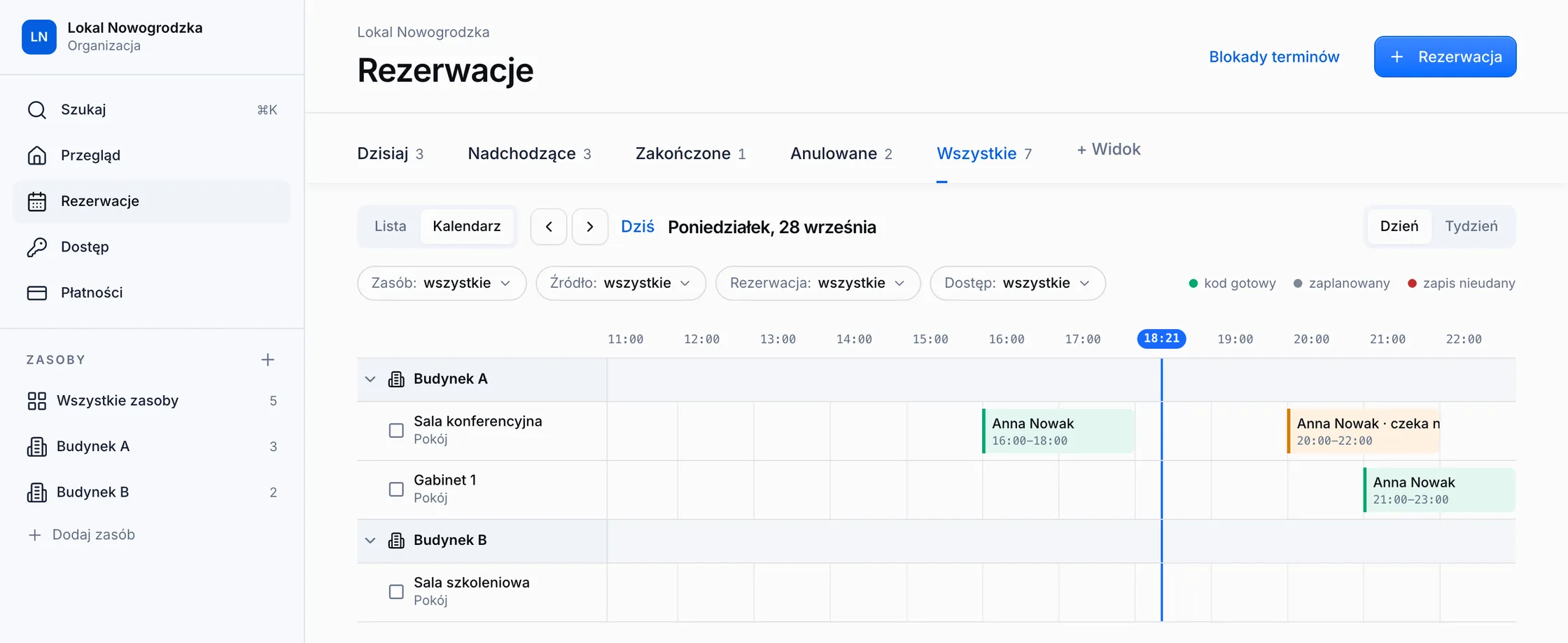
You don't need to be there. The booking is followed by a payment, the payment by a door code, and you see all of it in the panel.
Guests book by themselves
On a page with the name of your place, or in the system you already use. Any time, no phone calls.
The slot is theirs once they pay
PayU, Przelewy24 or tpay. An unpaid booking releases the slot on its own.
The code works only in their hours
It is created after payment, opens every door on the way and expires on its own.

Before the visit
Guests book by themselves, at any hour.
On a page with the name of your place, guests pick a room, a day and an hour. They see the price right away and pay online. You never pick up the phone.
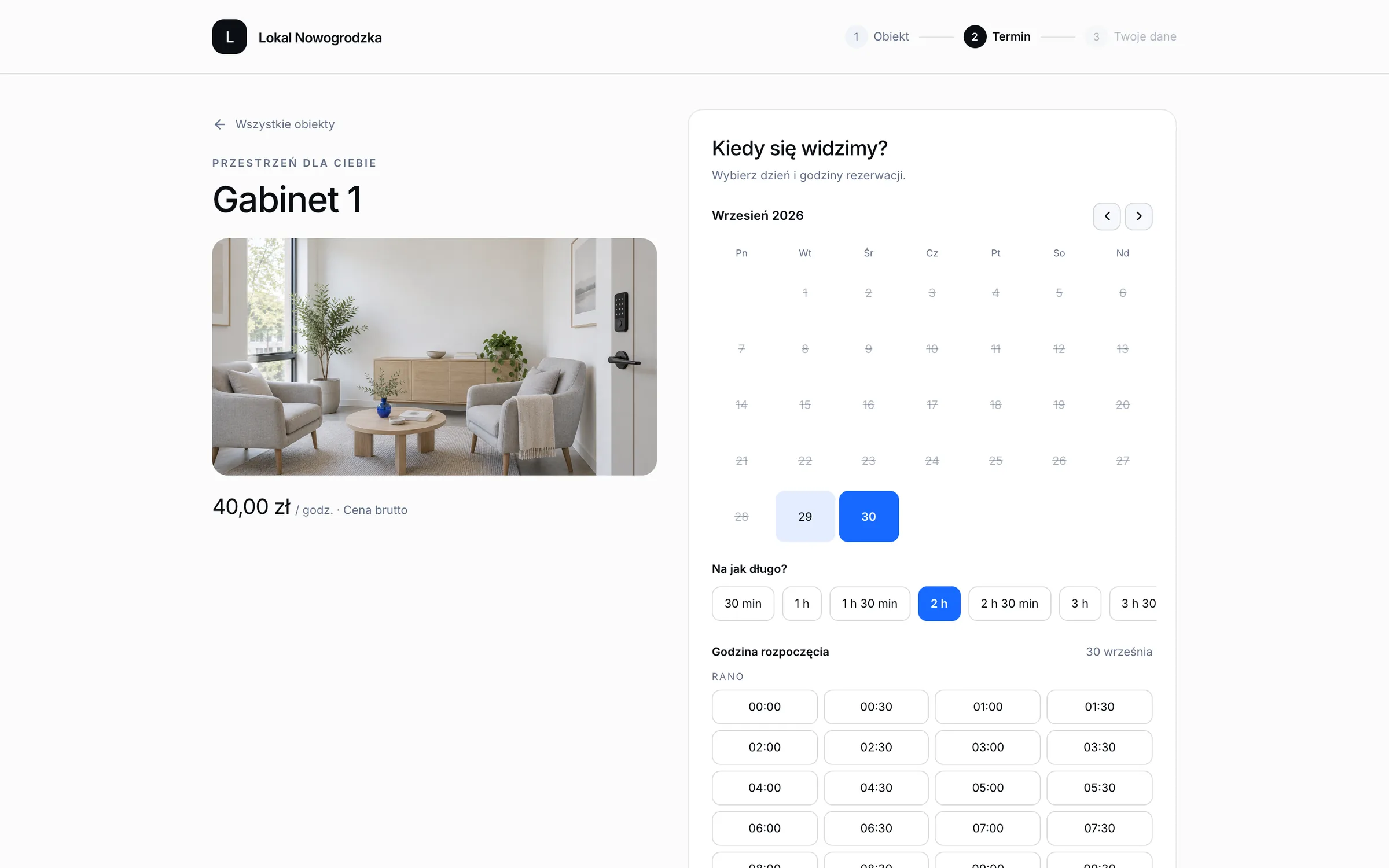
A page for your place
Photos, description and prices of every room under an address with the name of your place.
Online payment
PayU, Przelewy24 or tpay. The slot belongs to the guest only once they pay.
Price tiers
A different rate in the evening, at the weekend or for longer stays. The page works out the price.
Another booking system?
You don't have to drop it. Tell us which one you use and we will check how to connect it.
Entry
A code opens the door, not you.
The code is created after payment and reaches the guest by email. It works on every door on the way: the building, the floor and the room.
A code after payment
Nobody types it in. It is created, sent to the lock, and the guest gets it by email.
Every door on the way
One code opens the building entrance, the floor and the room, only during the paid time.
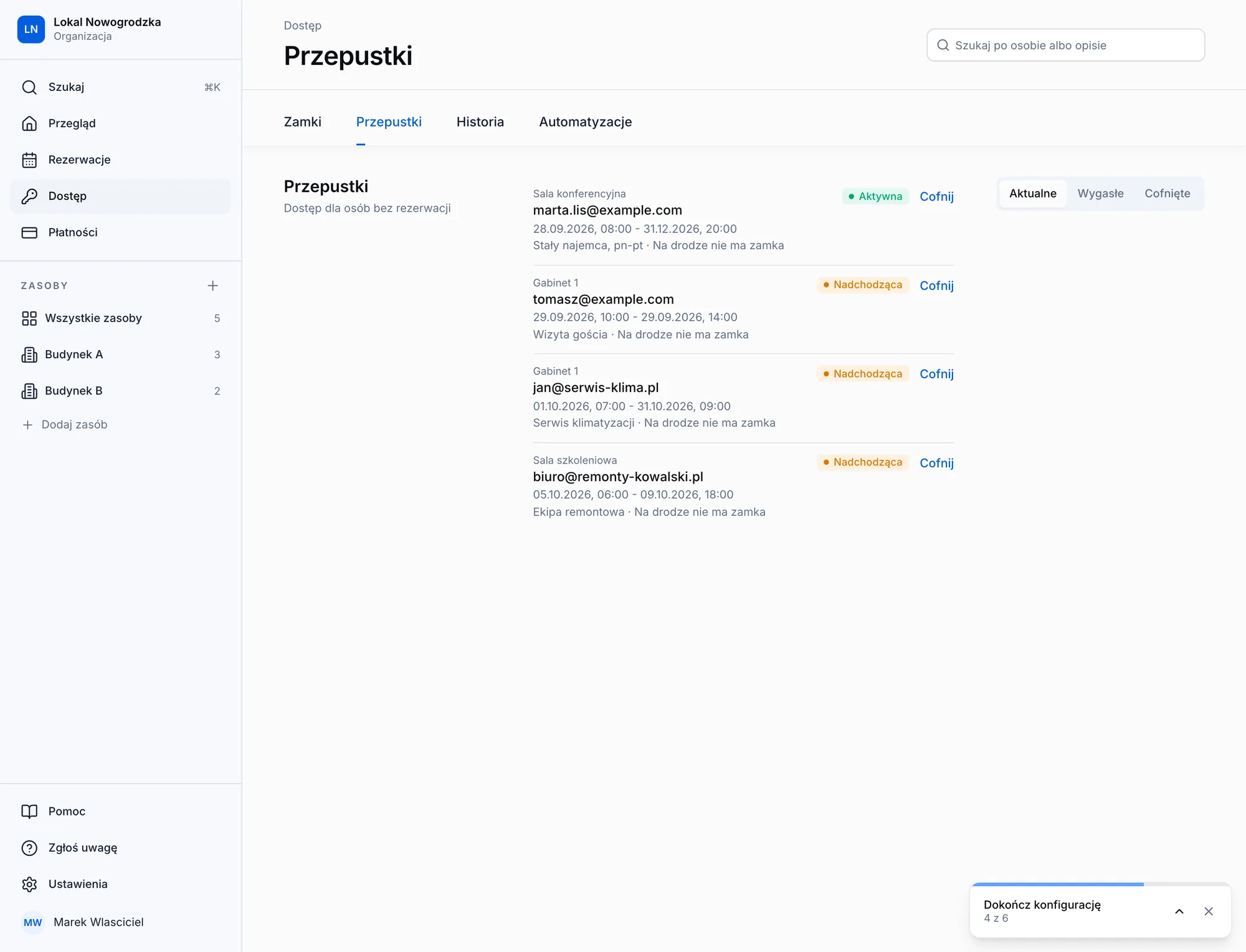
Passes without a booking
Access for maintenance, cleaning or a regular tenant, for any period you set.
TTLock locks
You install them on site and we connect them to the system. We check compatibility before you order anything.
After the visit
When the guest leaves, you do nothing.
The code stops working on time and every entry is logged. When a guest cancels, the code disappears from the door right away.
The code expires on time
After the paid hours the lock rejects it. Nobody has to delete it by hand.
Entry log
Who came in, through which door and when. One entry settles an argument about the state of the room.
Cancelling removes the code
A cancelled booking takes the code off the door immediately.
A break for cleaning
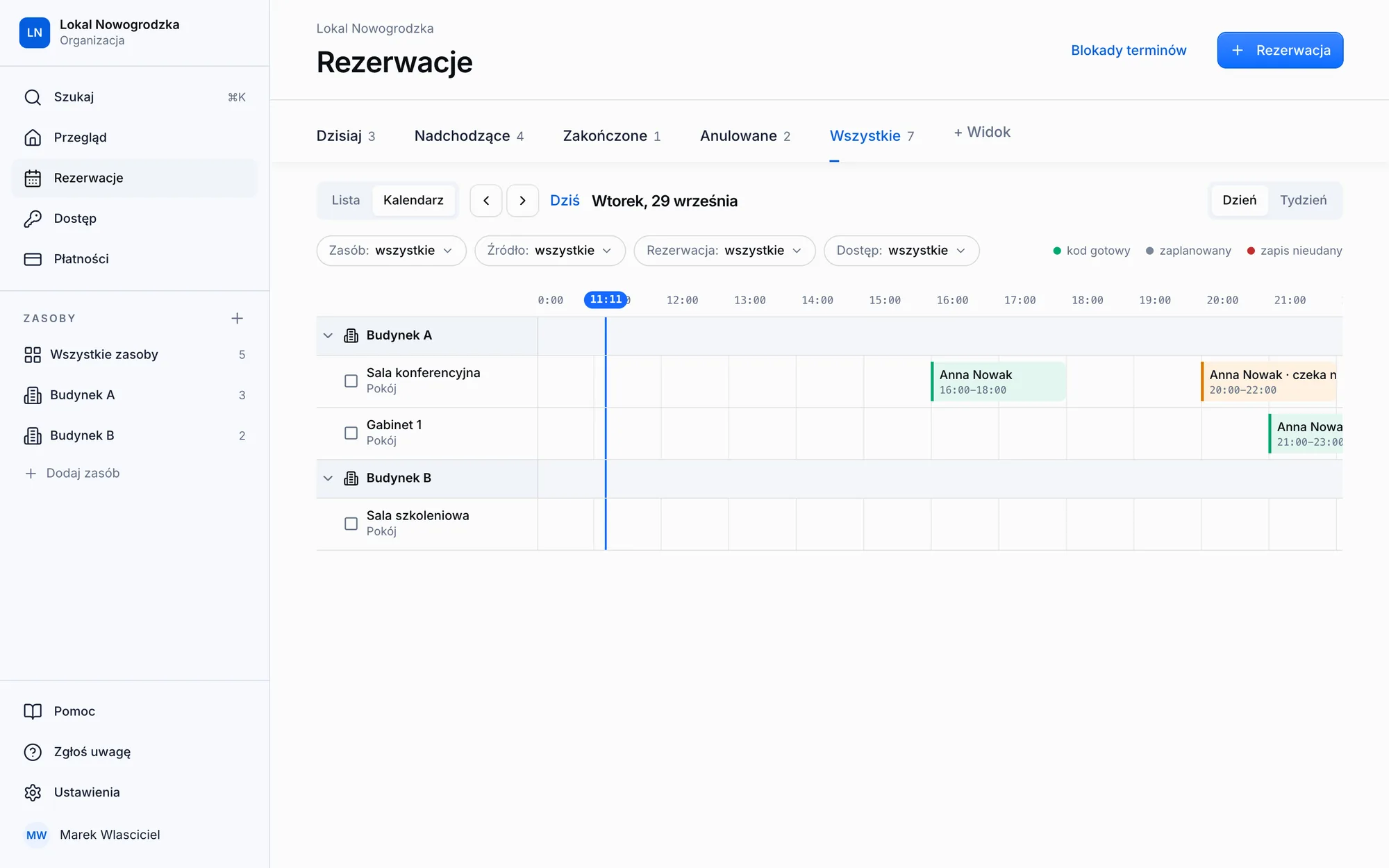
Bookings keep a gap between them that nobody can book.
Your part
You only look in when you need to.
The dashboard shows what needs your attention: a booking to approve, a lock with a low battery or a payment that has not arrived yet.
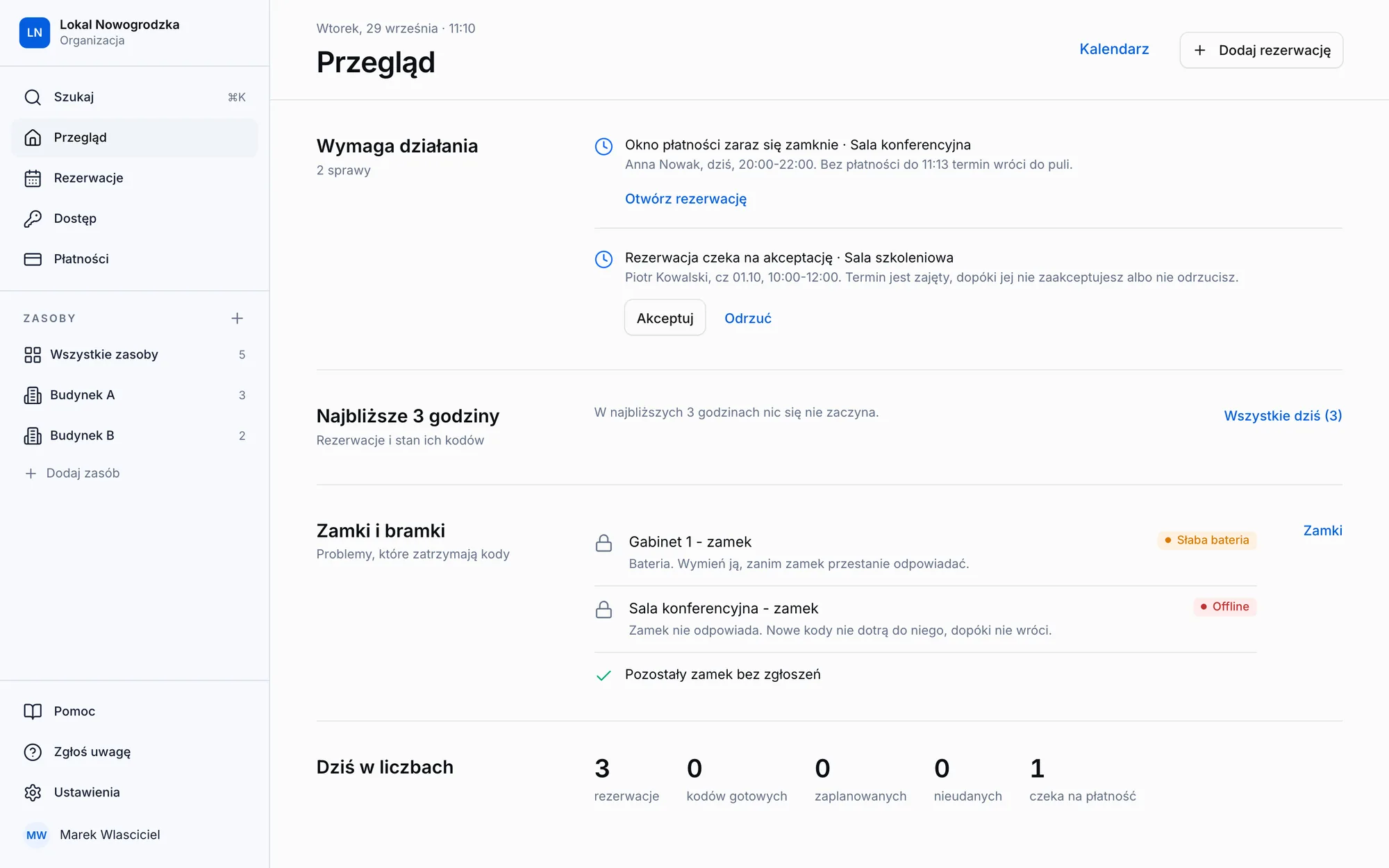
Needs action
Only the things waiting for your decision. The rest happens on its own.
Lock status
You see a low battery or a lock that went offline before a guest is standing at the door.
One calendar for every room
Bookings from every source in one view.
Many locations
Several buildings and rooms in one panel.
Integrations
Works with what you already use
Your own booking page or your current system, payment methods your guests know, and locks we connect for you.
- ⇄Your systemBookings
- wwwYour pageBookings
 PayUPayments
 Przelewy24Payments
 tpayPayments
 TTLockLocks
Setup
We set everything up for you.
We configure the system for your rooms, you install the locks, and we stay with you after launch. No technical knowledge needed.
01We get to know your place
We talk about what you rent out, to whom and on what terms, and decide where to start: one location and one kind of rental. You send us photos of your doors and we check which locks fit them.
02We configure the system
We enter your rooms, prices, opening hours and entry rules the way you work. Plus a booking page with the name of your place.
03You install the locks
You fit the locks on site and we connect them to the system. We confirm the model is compatible before you order anything.
04We run a pilot
Real bookings in one location. You see every payment and every entry in the panel before you decide about the rest.
FAQ
Before you book a call.
Bookings, payments and access in one system. We take care of setup and technical support.
- A ready-made booking system for rooms and offices with a door code, not software you have to roll out yourself. Guests book, pay and let themselves in. You install the lock, and we handle configuration, connection and support.
- Anywhere someone has to be on site only to unlock the door: treatment rooms by the hour, training rooms, photo and recording studios, sports courts and halls, self-storage, lockers and short-term rentals.
- No. If your system allows an integration, we will build it, and its bookings will reach the panel and get a door code like any other. Tell us which system you use and we'll check.
- A regular booking system handles the slot and the payment, but someone still has to unlock the door. Here the guest gets a code after paying, the code only works during the booked time, and you see every entry in the panel.
- Today, TTLock locks with a Wi-Fi gateway, because the gateway is how a code gets onto the door and off it again. You install them yourself and we connect them to the system. We check your exact model before you buy anything.
- Today in Poland: payments go through Polish providers (PayU, Przelewy24, tpay) and the booking page and panel are in Polish. Running a place elsewhere? Write to us and tell us about it.
- It depends on the number of locations, rooms and locks to connect. We give you a price after a short call about your place.
Let's start with your place.
First a short call about what you rent out. Then we configure the system, connect your locks and run a pilot in one location.